
Eego allows you to set up how you want to receive and withdraw payments. You can choose your preferred payment method, add a bank account, and set a default account for future transactions.
Steps to Set Up Payment
1. Log in to your Eego account.
2. From the Dashboard, go to Settings.
3. Select Payment.
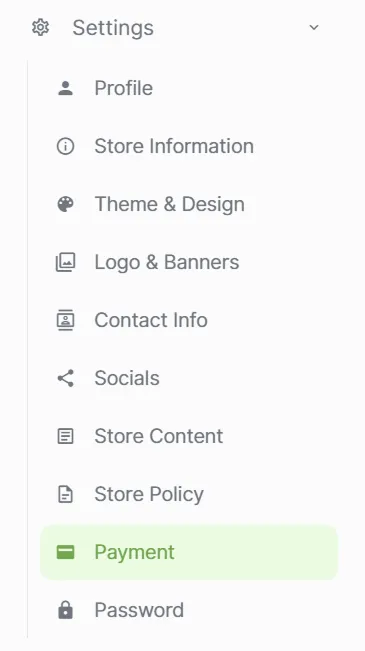
Choose a Payment Method
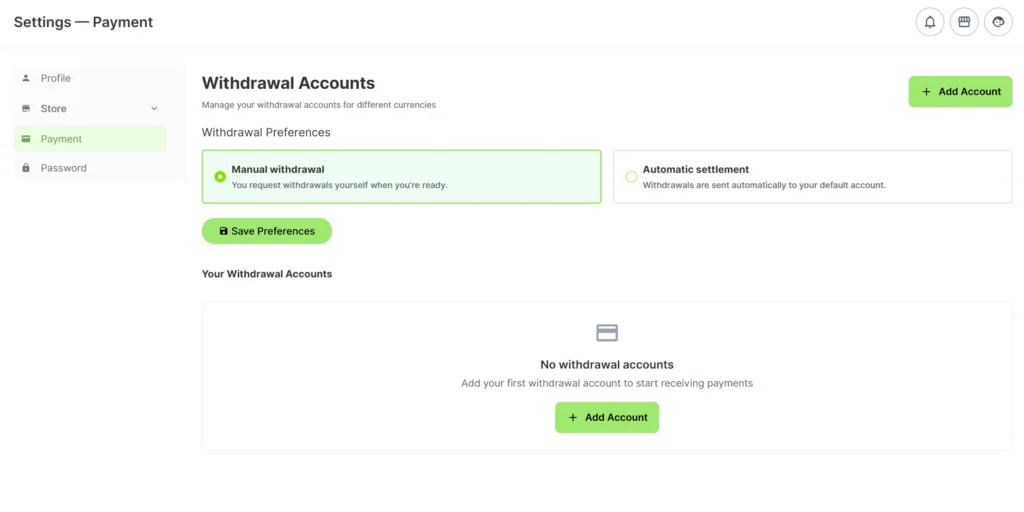
Under the Payment section, select any of the available options:
1. Manual Withdrawal
Withdraw your funds manually whenever you choose.
2. Automatic Settlement
Payments will be sent automatically to your selected account.
Add New Payment Account
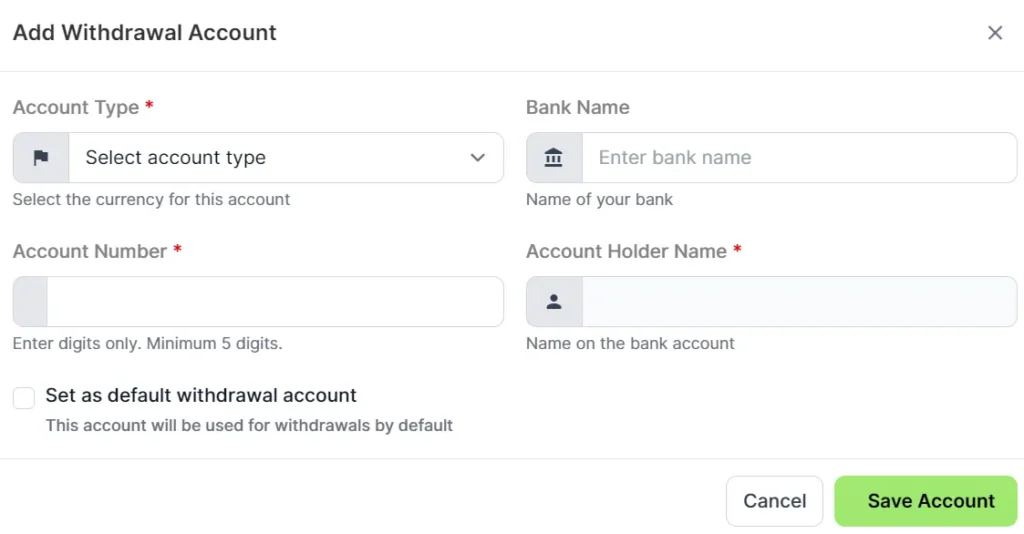
You can add a new bank account that will be used for receiving payments or withdrawals.
Follow the steps below to get this executed:
1. Click on the “Add Account” button.
2. Enter the following account details:
* Bank Name
* Account Number
* Account Holder Name
* Account Type
Your payment method is automatically live on Eego.
Important Note
Make sure your account details are correct before saving. Incorrect details may cause payment delays or failed transactions.
Once saved, your preferred payment method and withdrawal account will be ready for future use.