Click here to watch Video Tutorial
Want to permanently delete a product from your eego.co storefront? here’s an easy walkthrough to achieve that.
Step 1:
Login to your vendor dashboard with your Google account or email.
Step 2:
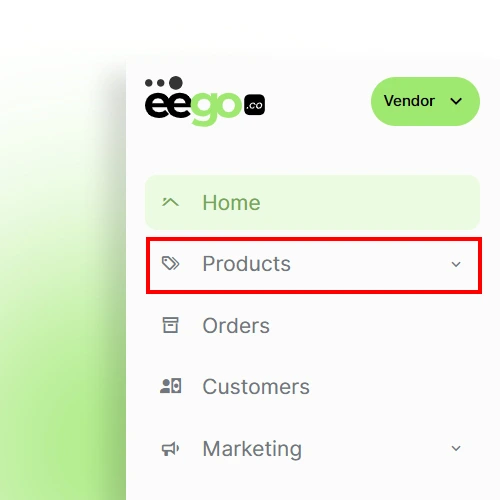
Click on the “Product” tab from the sidebar on Desktop, and at the bottom of the screen from a Mobile device.
Step 3:
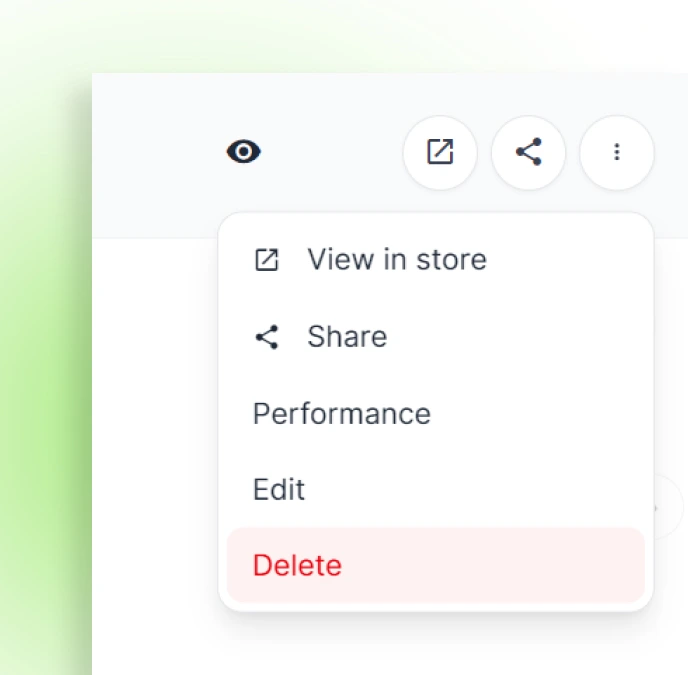
Click on the “More” icon on the product that you would like to get rid of, and select the “delete” option to permanently take it out of your storefront.