
Step 1: Head over to our website or type www.eego.co in your browser

Step 2: Click on the Login button to initiate the Sign Up process

Step 3: From the login page, click on the Sign Up link to create an account
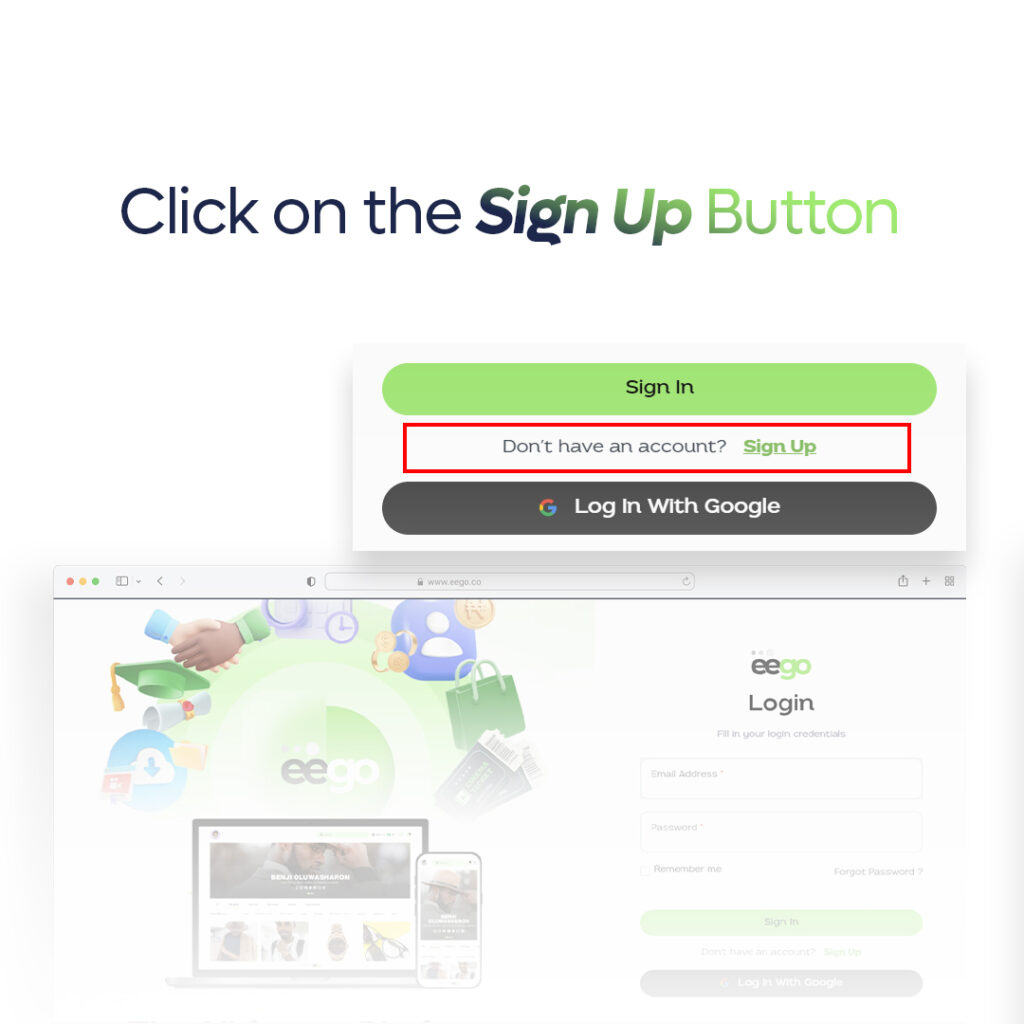
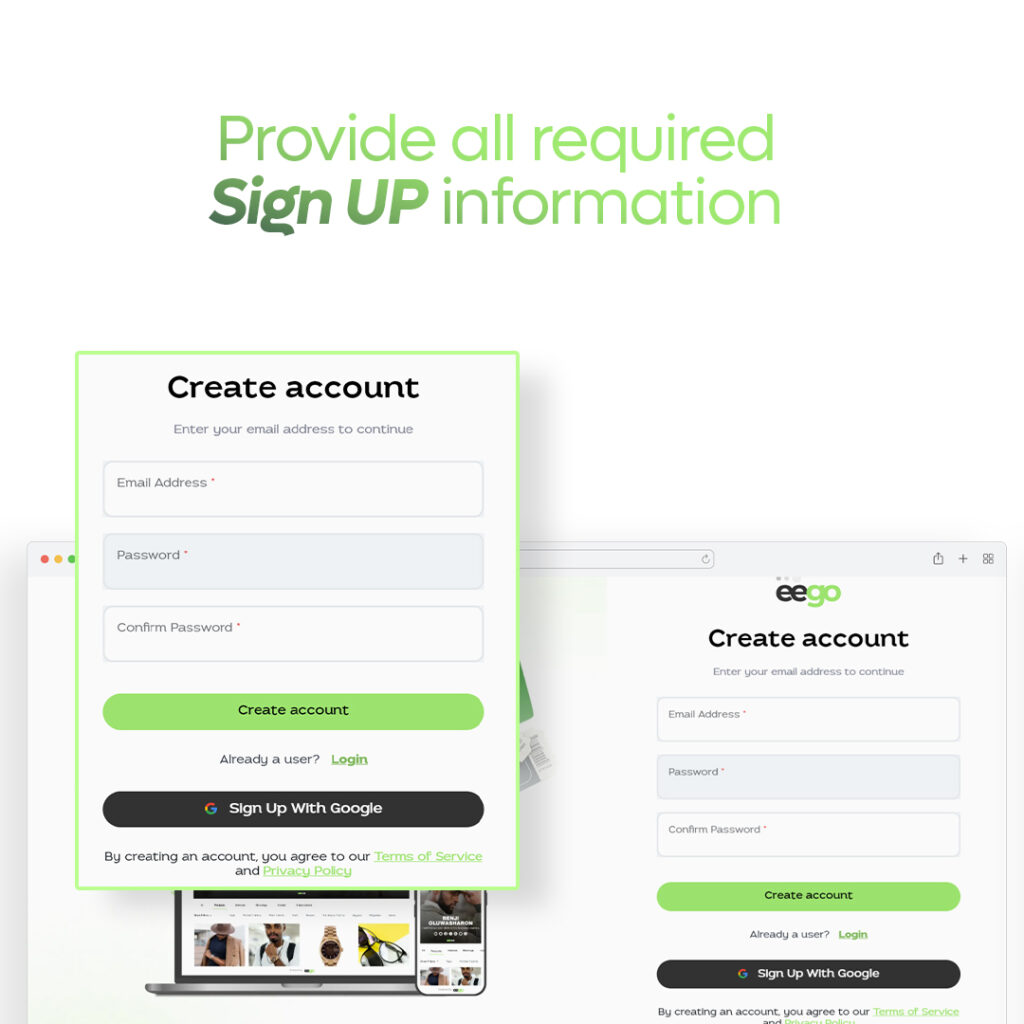
Step 4: Fill in the email and password field provided for new sellers
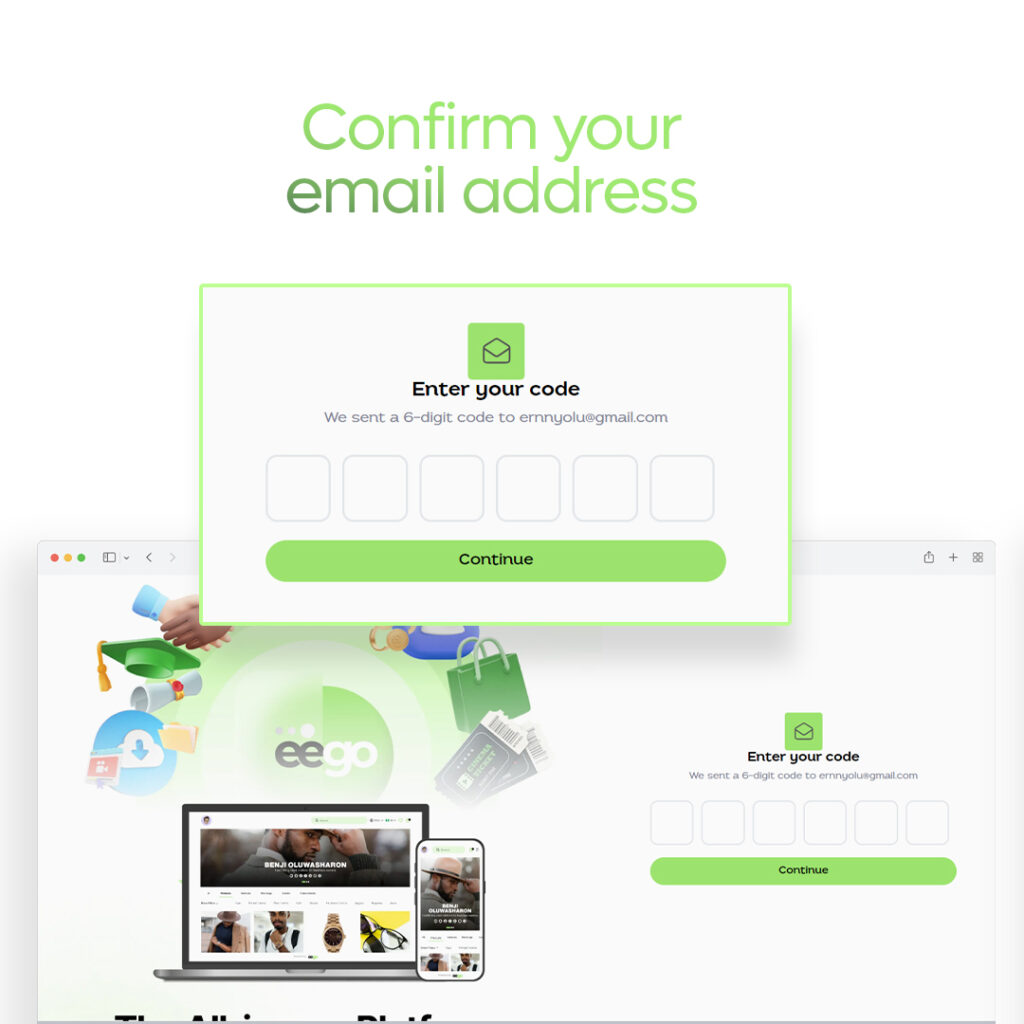
Step 5: Confirm your email with the authentication code sent to you
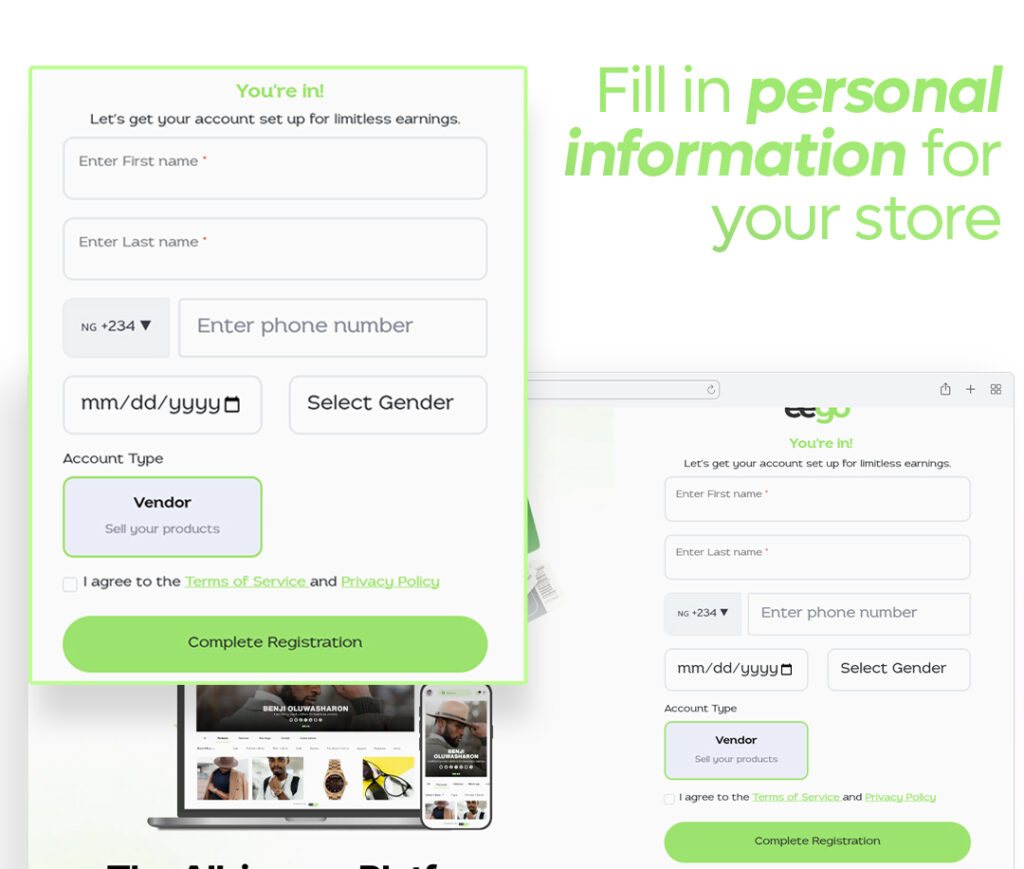
Step 6: Fill in personal information like name and phone number. The “Vendor” acoount type is selected by default
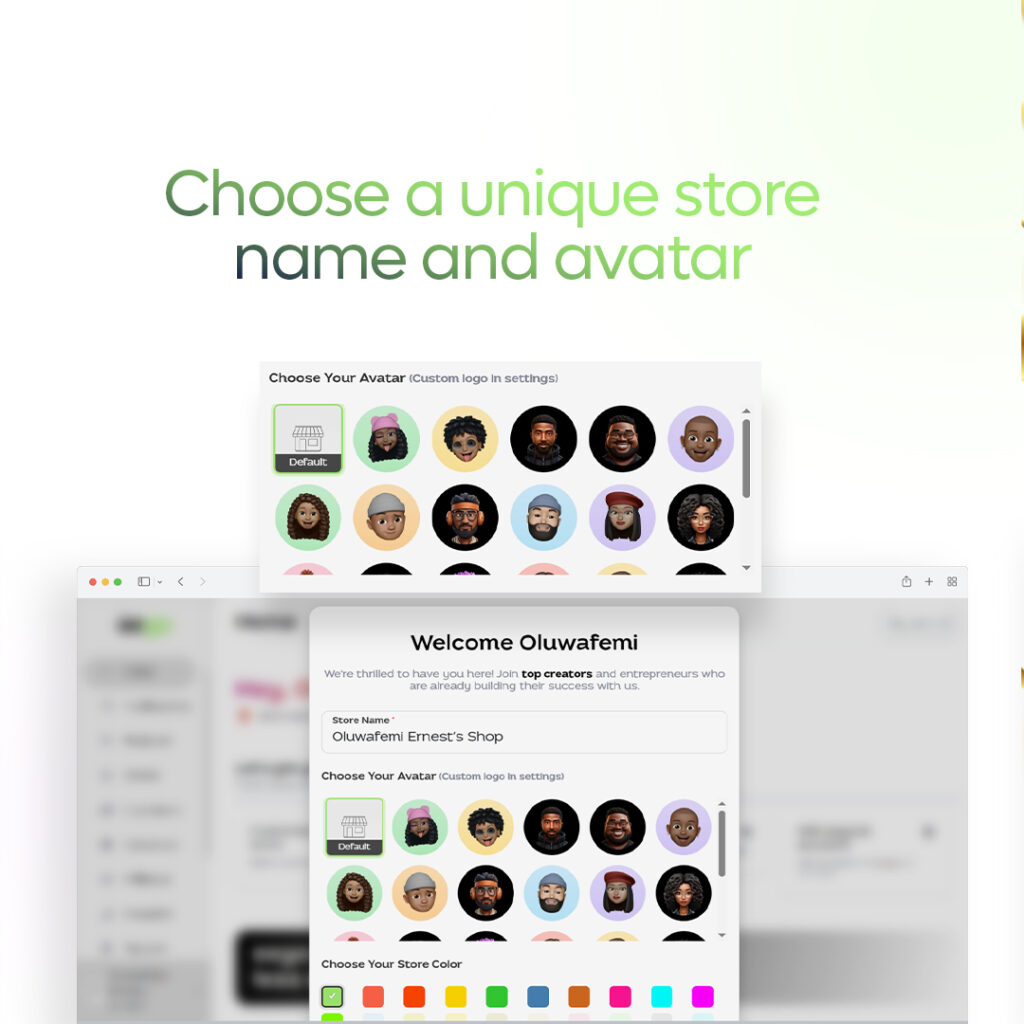
Step 7: Make a choice from the array of store avatars provided. You can also pick your preferred store color.
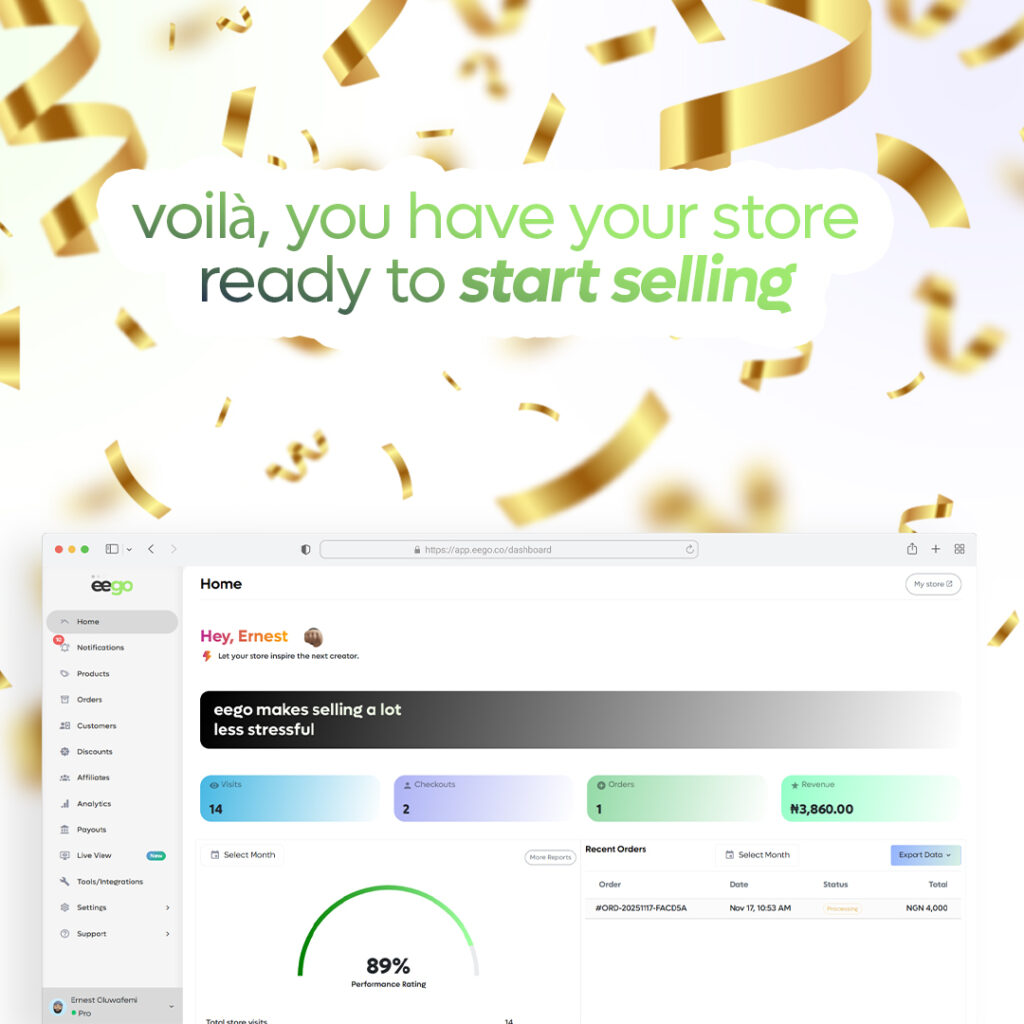
Step 8: Congratulations, you can now start to sell on eego.co
© Alrights reserved by Eego.co